What's New
Know your beans better
- Much richer bean details. Scan or open a bean to see its origin, roast level, process, tasting notes, and more. See other beans from the same roaster and find beans that match your taste. Shared beans and brews carry these details on the share card too.
- A completely redesigned search. Browse beans by origin, process, or decaf, and use the new “Roasted in” filter to find coffees roasted in your country. You can now filter a roaster's beans too.
- A more precise freshness curve. Now based on the bean's roast level.
- A starting point for a new bag. Tazzina now suggests a starting brew ratio and water temperature from the bean itself, so a new bag gives you somewhere to begin even before anyone has dialed it in. As people brew the same bean, their brews refine the suggestion.
- Plus bug fixes throughout the app.
You can always see what's new by going to Settings › About › What's New.
Calibrate your grinder
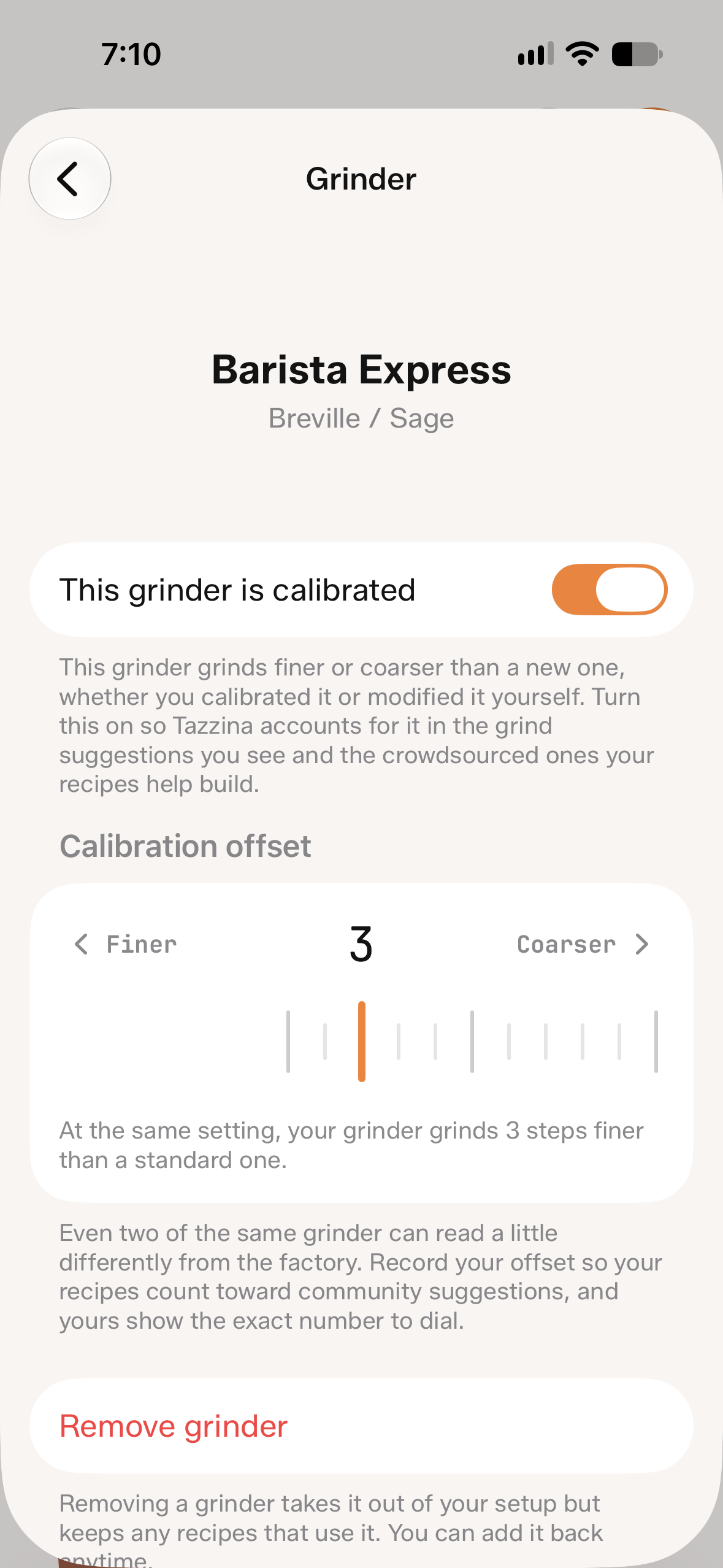
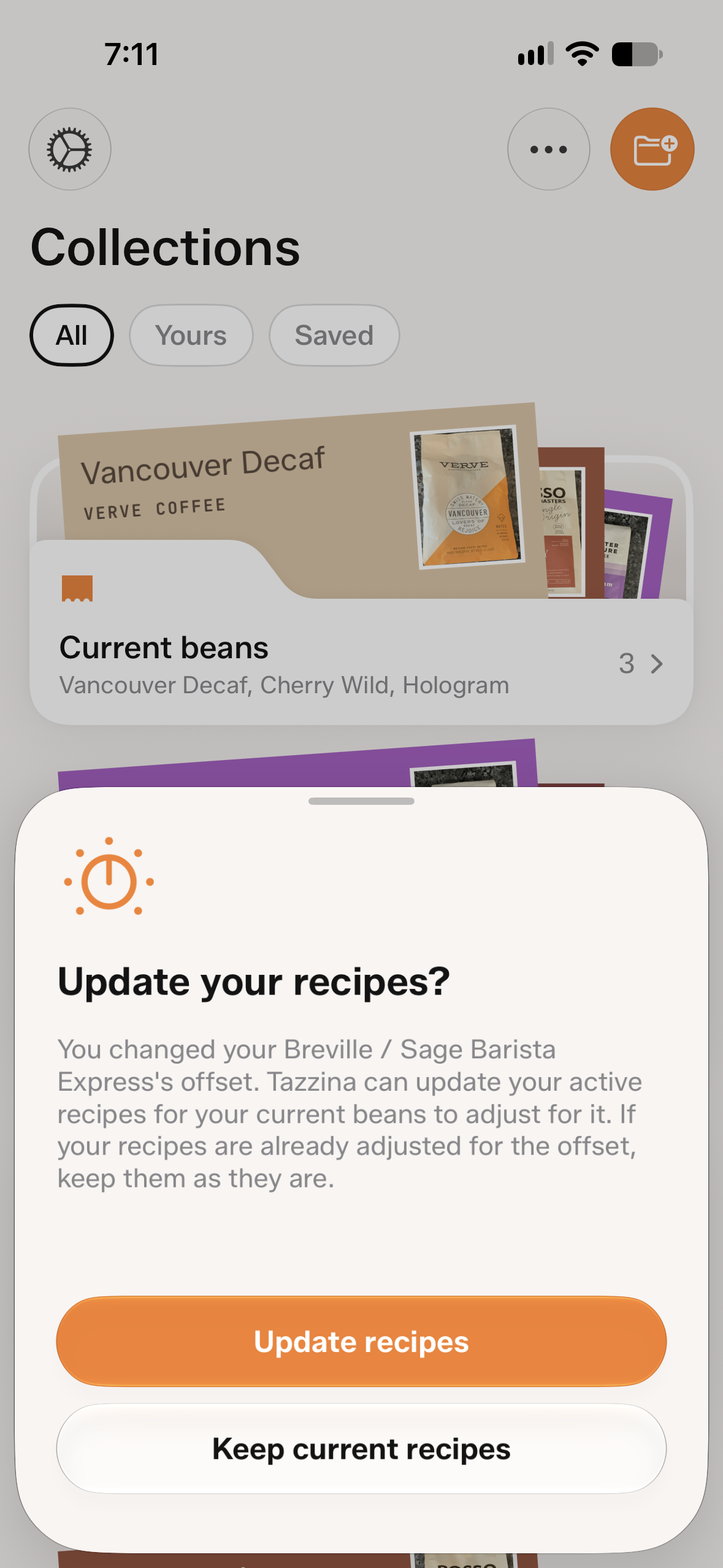
- Grinder calibration. Some grinders leave the factory grinding a bit too coarse or too fine, and many people calibrate them. Now you can record that adjustment, and recipe suggestions account for how your grinder is calibrated, so the grind you see is the one to dial.
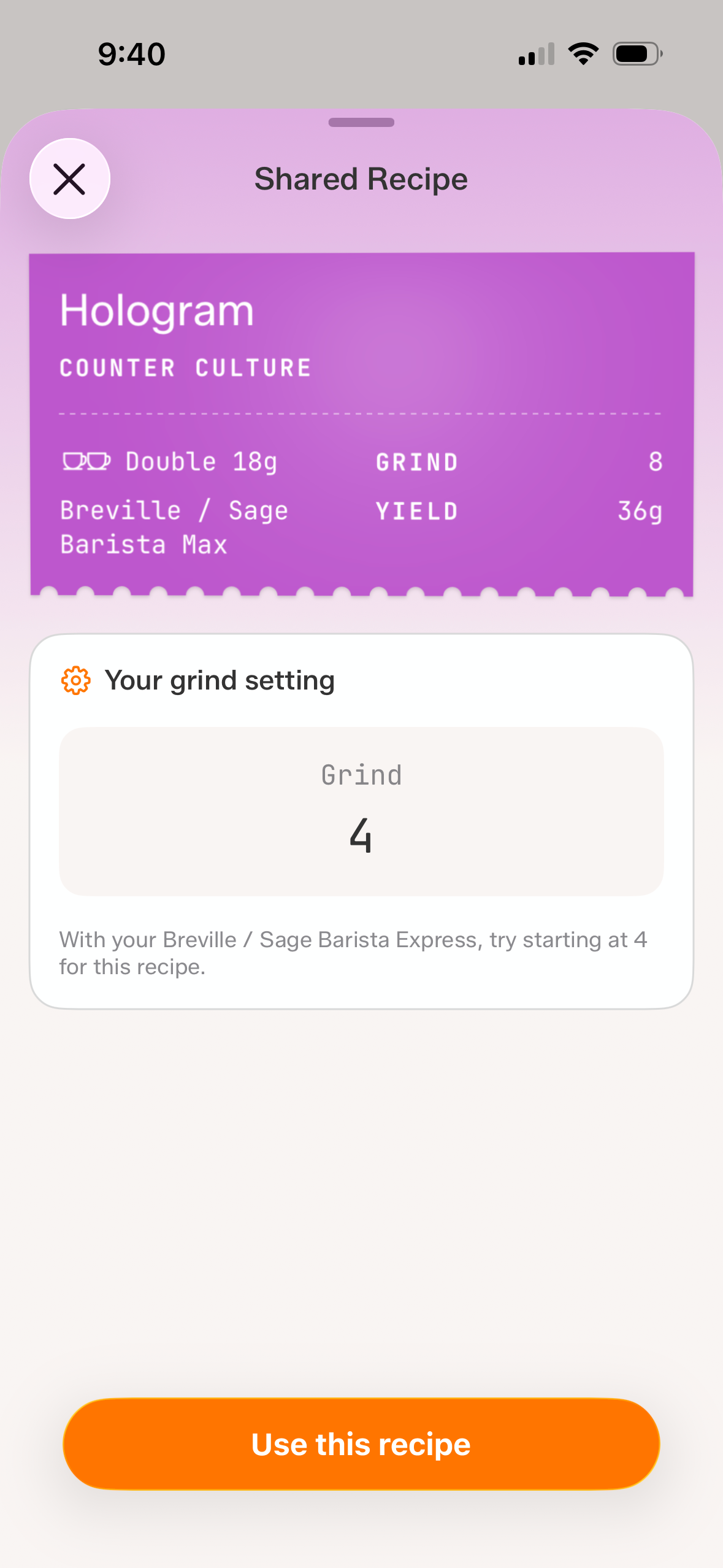
- Sharing that fits every grinder. Your adjustment also travels with any recipe you share, so the grind still makes sense on someone else's grinder.
- Three new brewers. Dial in the OXO Rapid Brewer, the Vietnamese Phin, and the Siphon.
- Redesigned Settings. Easier to find the right things to customize your experience.
- Plus bug fixes throughout the app.
You can always see what's new by going to Settings › About › What's New.
Fine-tune every gram
- Micro-adjust your dose. Beans vary in density and a small change keeps the resistance on your grounds consistent from bag to bag. This helps most in espresso. Adjust it by a tenth of a gram from the recipe editing menu.
- Scale a recipe. Want a smaller or bigger cup? Scale a recipe without doing the math in your head. Slide the ruler to change the batch size and the ratio holds steady. You can also save it as a new recipe. Start it from bean detail or recipe editing.
- Grind nudge controls. Turn grind freshness nudges on or off in Settings. Renew a bag and Tazzina offers to update the grind so your fresh bag starts dialed in.
- Smoother rulers. The dose and scaling rulers now glide.
- Plus polish and bug fixes throughout the app.
You can always see what's new by going to Settings › About › What's New.
Bug fixes and polish
- Guided mode. The temperature step no longer appears when your setup does not use it. The water suggestion is also more intelligent.
- Saved doses. Changing the default dose for a recipe on a new brewer no longer opens an empty screen.
You can always see what's new by going to Settings › About › What's New.
Now on iPad
- iPad support. Tazzina is now compatible with iPad, so you can dial in your recipes there too.
- Smarter search. Bean matches are more accurate, with fewer wrong ones, and it's clearer what to do when a bean isn't in Tazzina yet.
- Earlier grind nudge. The grind freshness nudge now comes sooner, reminding you to grind a touch finer before your next shot runs fast.
- Plus polish and bug fixes throughout the app.
You can always see what's new by going to Settings › About › What's New.
Meet the roasters
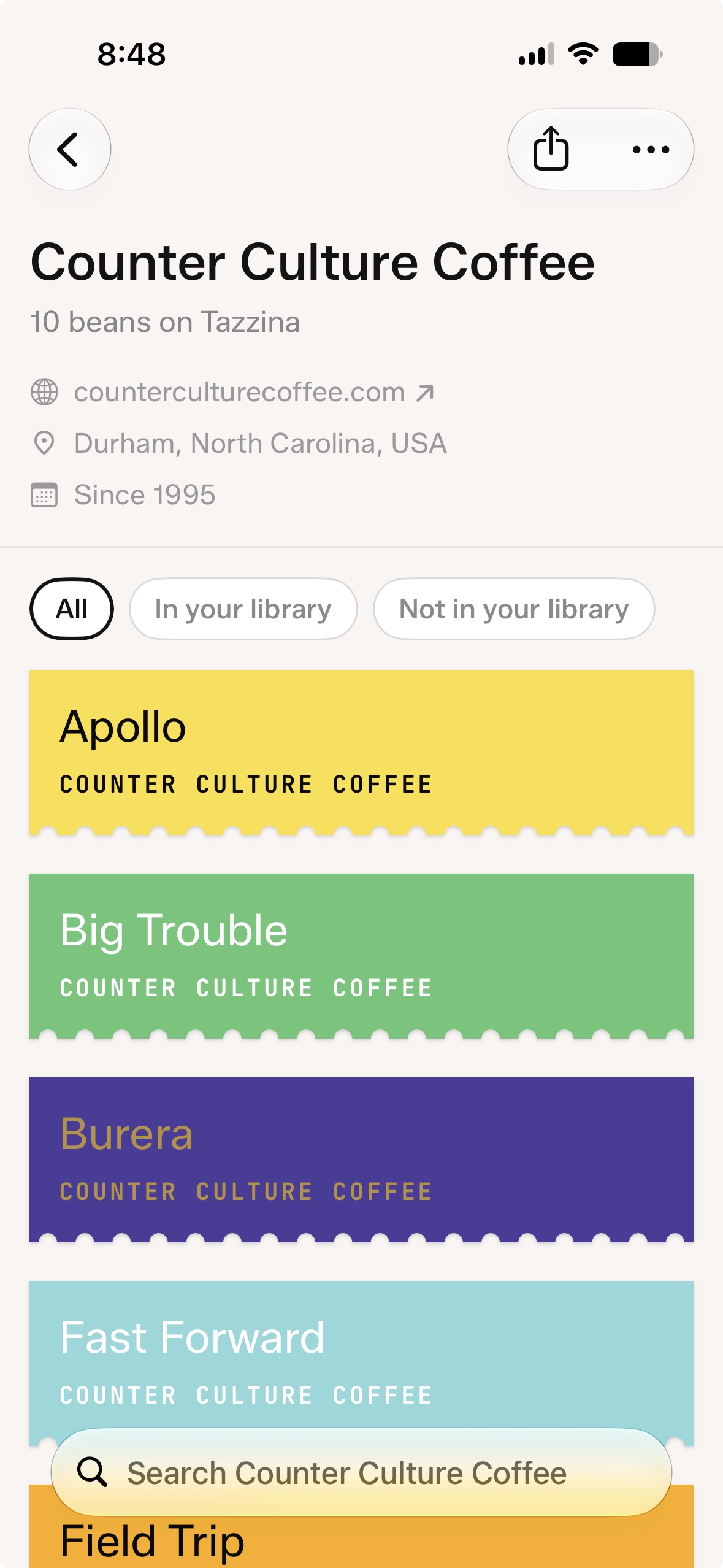
- Roaster profiles. Every bean now links to its roaster. Open a roaster's profile to find their coffees on Tazzina.
- Smarter scanning. Photo scanning is more accurate, with better bag matches and fewer wrong ones.
- Plus fixes and UI polish throughout the app.
You can always see what's new by going to Settings › About › What's New.
Every way you brew
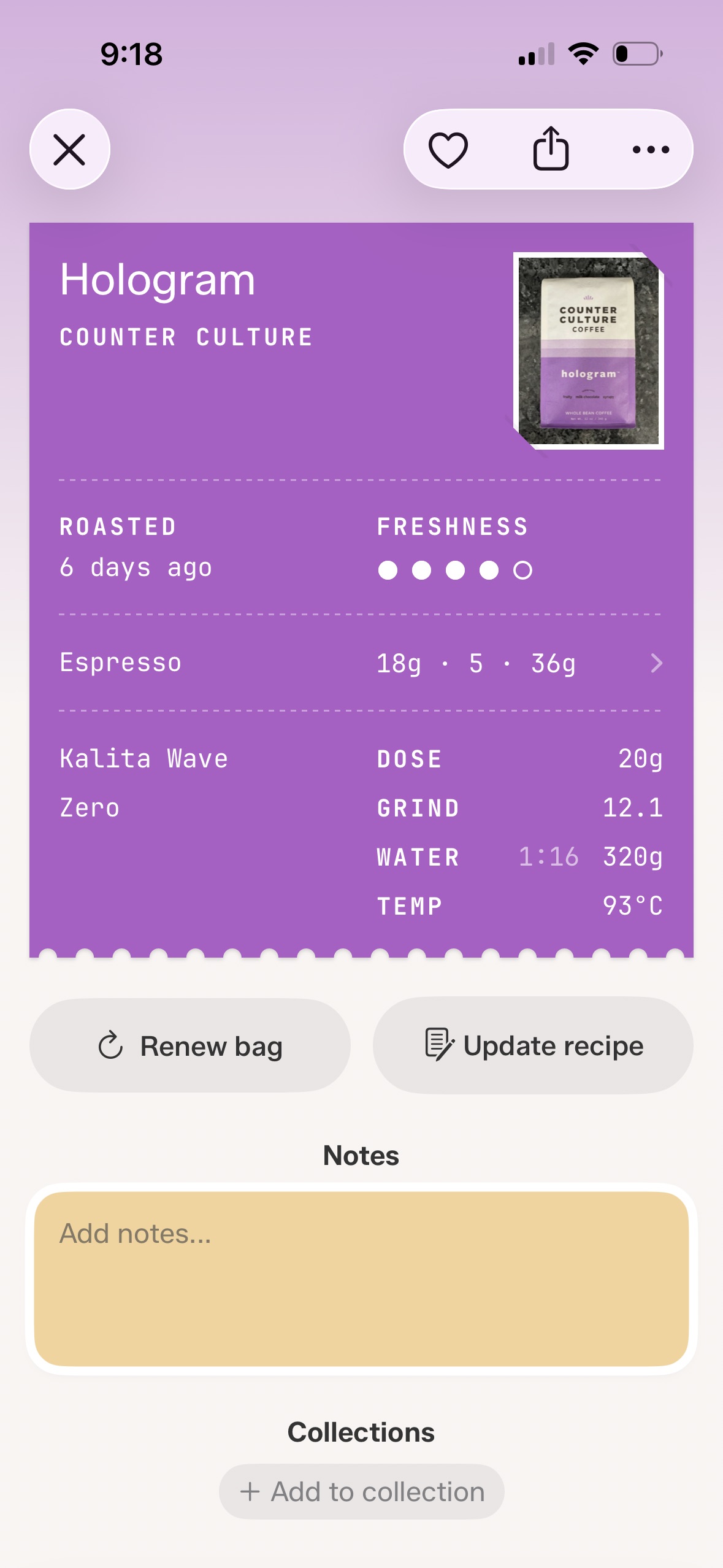
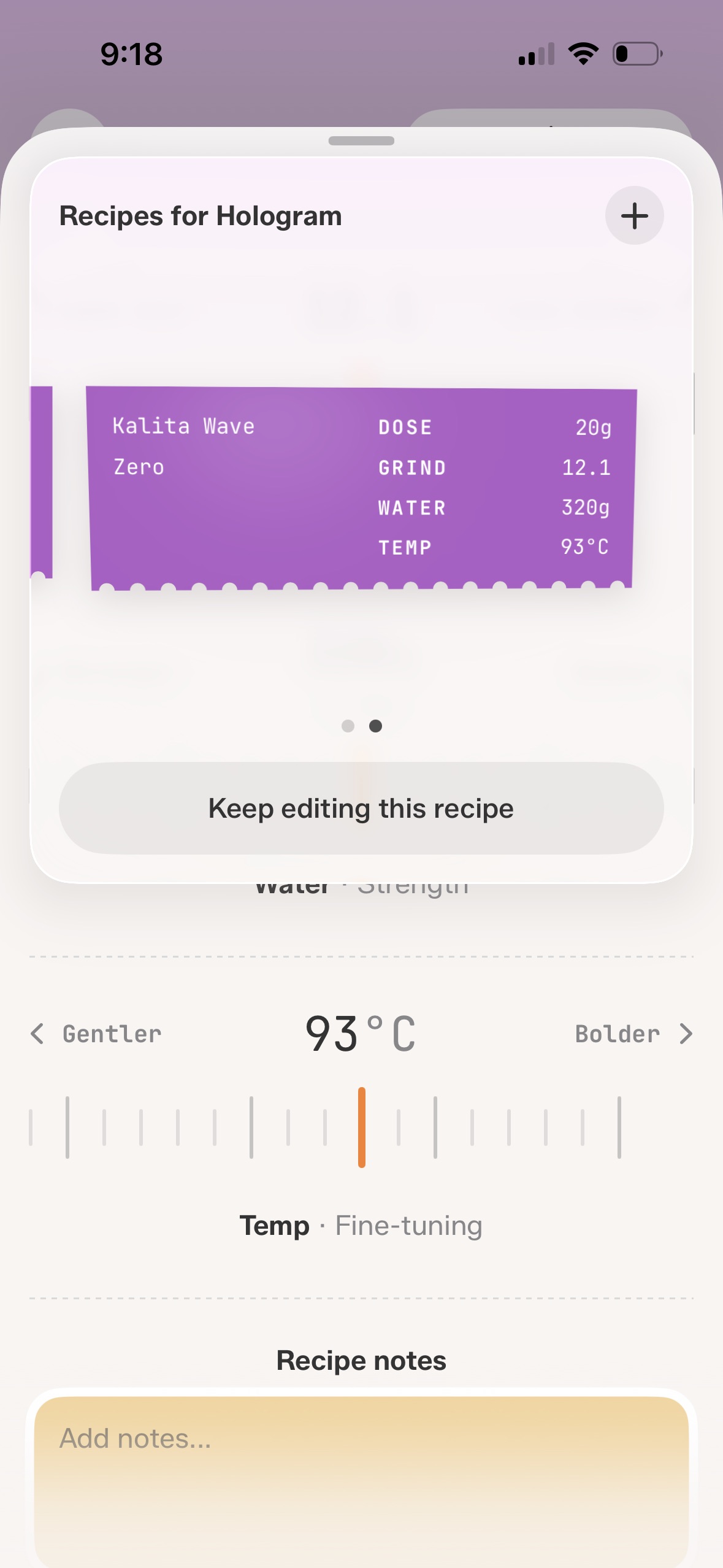
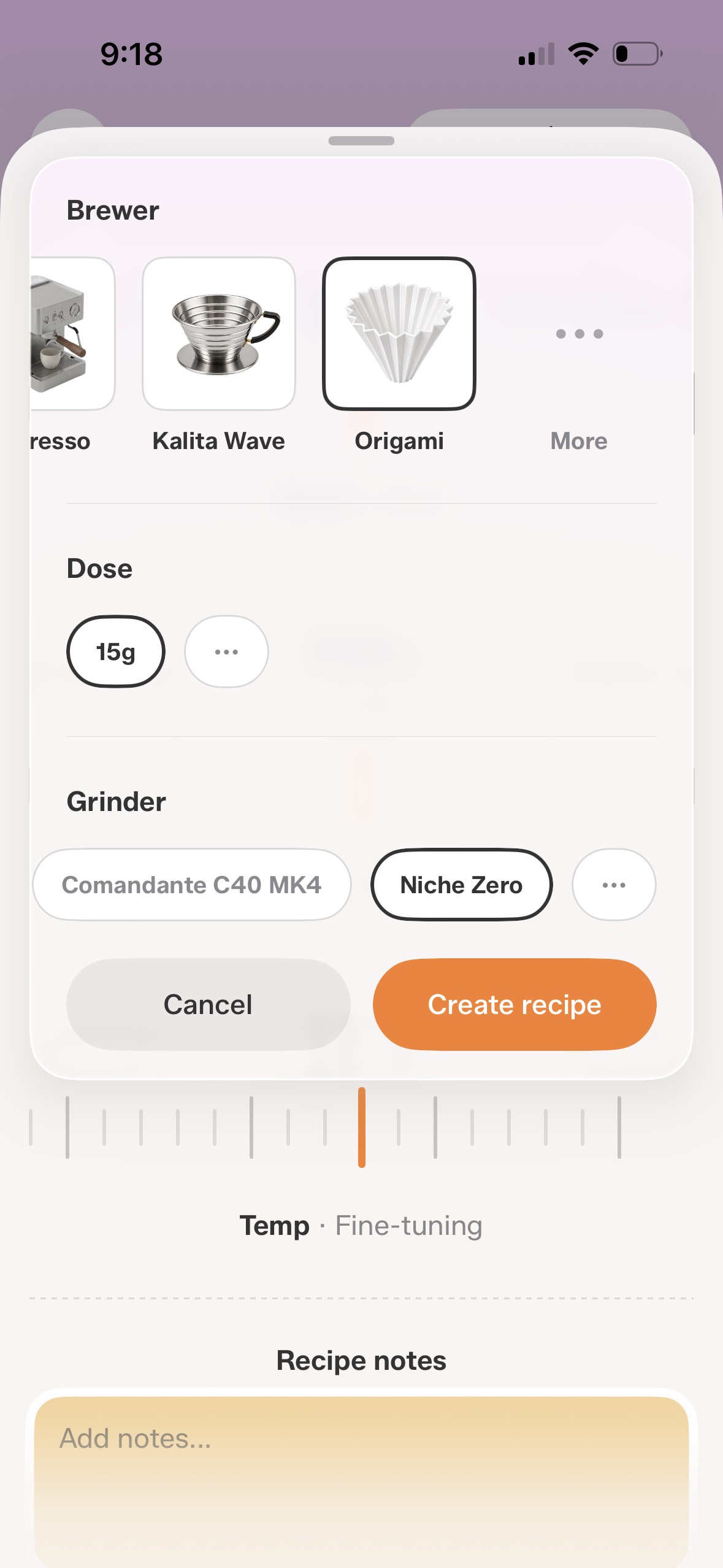
- Every brewing method. Tazzina now works for pour-over, immersion, and stovetop, not just espresso. Dial in a V60, Kalita Wave, Chemex, or AeroPress, each with its own recipes for the dose and grinder you use.
- More than one recipe per bean. Pull a shot of one coffee in the morning and brew the same beans on a V60 in the afternoon, each with its own grind, dose, and yield.
- Multiple grinders. Add more than one grinder, and every grind setting stays tied to the grinder it was dialed in on.
- Saved doses. Save your usual doses for each brewer, so an 18g and a 9g espresso, or a 15g and a 25g V60, are a tap apart.
- Manual dial-in. If you already know your way around, hide the guided steps and dial in manually.
- Ask Siri. Pull up any recipe hands free, just by asking.
- Your espresso recipes carry over exactly as they were. And if you use a single brewer and grinder, Tazzina stays just as simple as before.
You can always see what's new by going to Settings › About › What's New.
Fixes and improvements
- Bug fixes and performance improvements.
You can always see what's new by going to Settings › About › What's New.
Bug fixes and polish
- Fixed a bug that could leave some screens loading indefinitely.
- UI polish throughout the app.
You can always see what's new by going to Settings › About › What's New.
Bug fixes and polish
- Fixed a bug where the scanned bag photo could be lost when adding a bean to your library.
- Dark mode fixes and visual polish across onboarding, collections, and sharing.
You can always see what's new by going to Settings › About › What's New.
Share collections
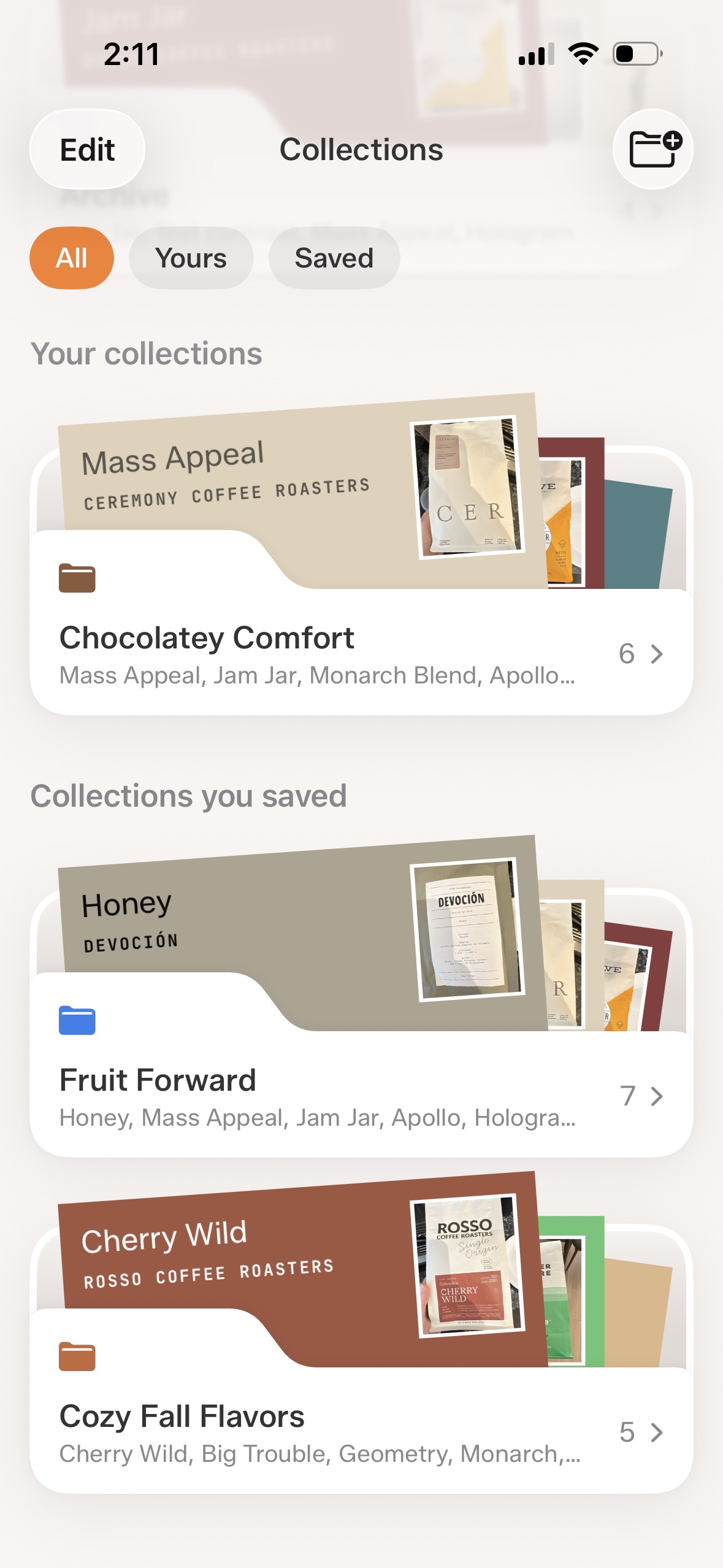
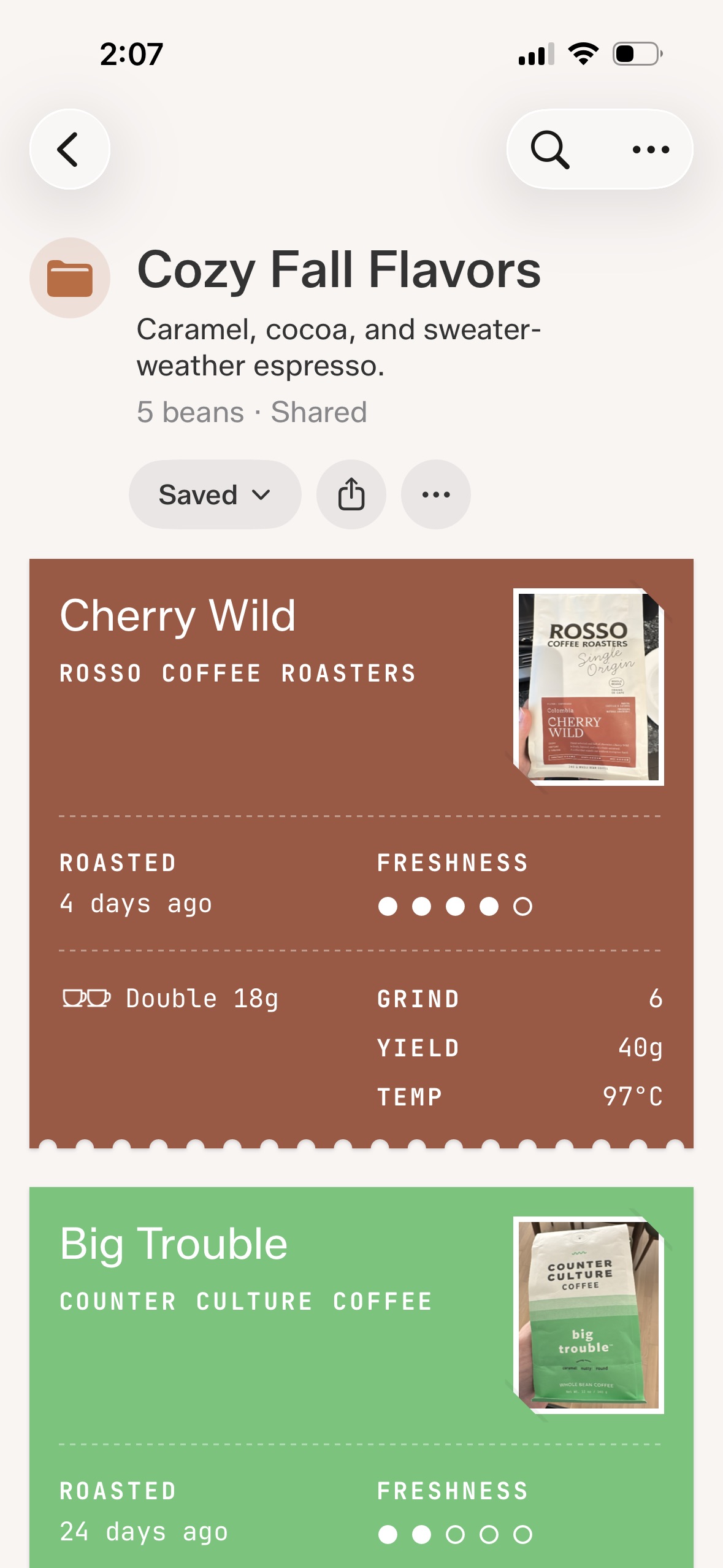
- Collection sharing. Build a list of chocolaty comfort beans, bright morning shots, cozy light roasts, fall favorites, or coffees that pair well with milk. Send the link, and other Tazzina users can save the collection in their own app.
- Live saved collections. Saved collections stay alive. Add a new favorite, remove a bean that fell out of rotation, rename the list, or reorder it, and everyone who saved it sees the latest version.
- Share image. Collections can also be shared as images, just like beans and recipes.
- Collections refresh. Collections also got a visual refresh, plus bug fixes and polish throughout the app.
You can always see what's new by going to Settings › About › What's New.
Notes in shared collections
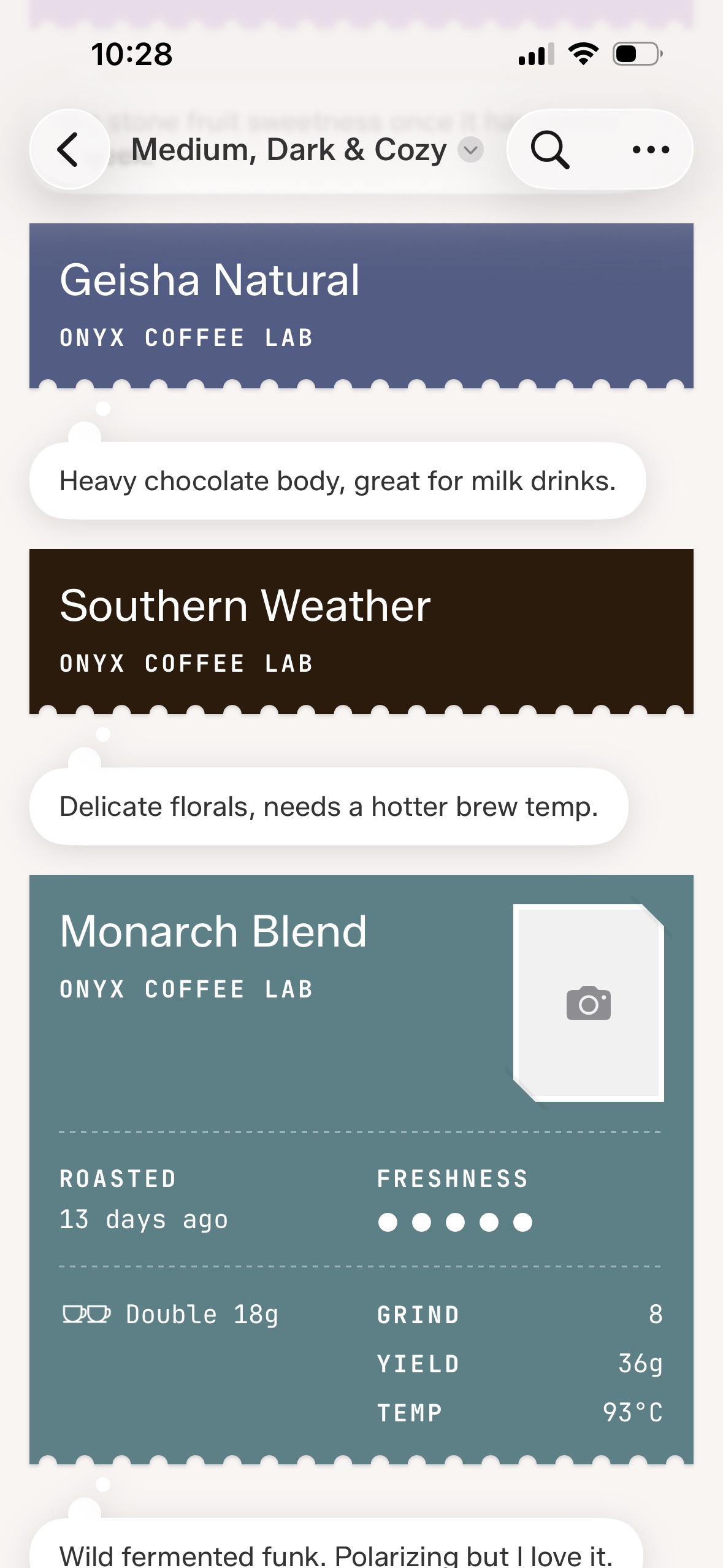
- Bean notes. Shared collections can now show the notes you keep on each bean, so the context behind a favorite coffee travels with the collection.
- Manual ordering. You can manually order the beans in your collections by dragging and dropping.
- Archived bean cards. Archived beans now hide roast date and freshness details, keeping older cards cleaner and less distracting.
You can always see what's new by going to Settings › About › What's New.
Share your recipes
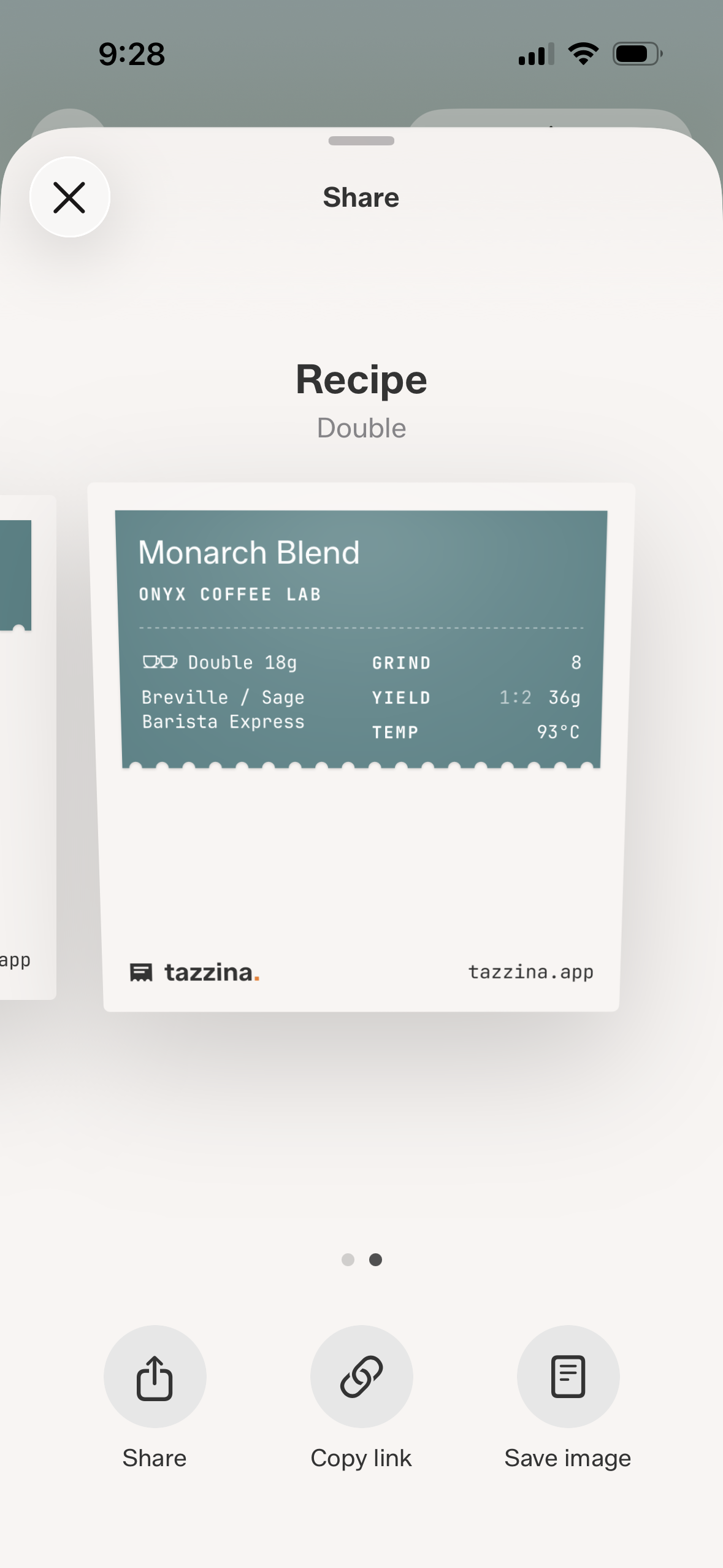
- Recipe sharing. Share a whole recipe, not just a bean. Every share card carries the dose, grind, yield, ratio, grinder, and temperature behind a great shot, with the grinder always included so your grind numbers actually make sense.
- Card or link. Save the card as an image to post in a message or on social, or just send the link so the recipient can save the recipe straight into Tazzina, with the grind already translated to their own grinder so there's no dialing in.
- Bug fixes and polish.
You can always see what's new by going to Settings › About › What's New.
Search fix
- Untouched beans now open as search results, not saved beans.
You can always see what's new by going to Settings › About › What's New.
Brew temperature
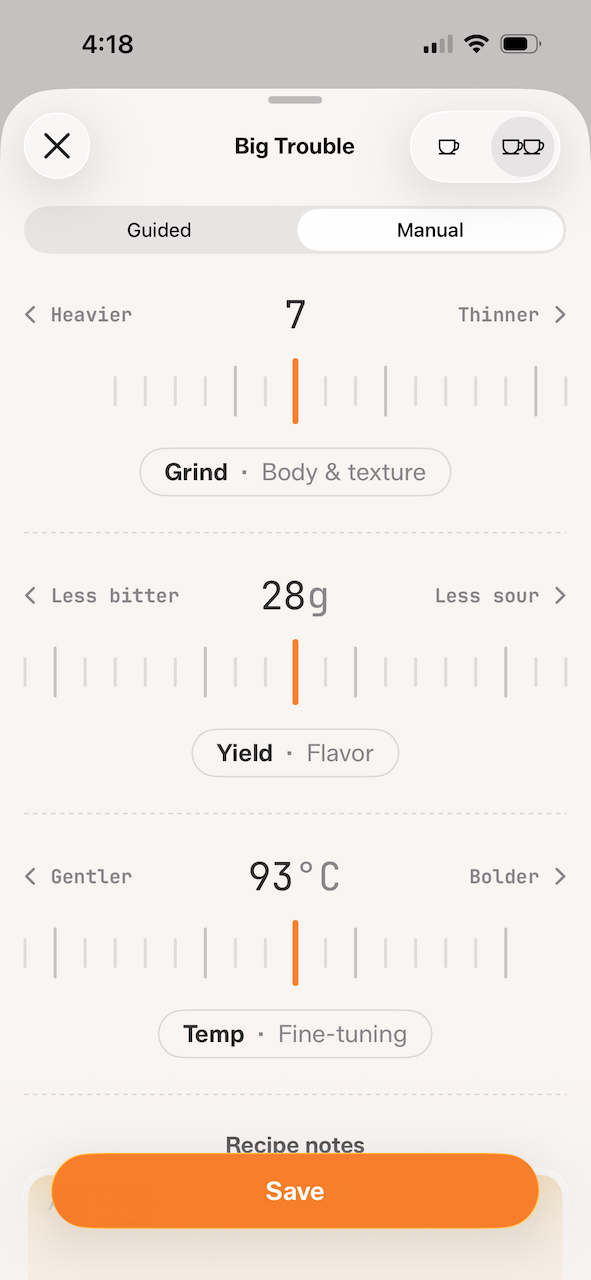
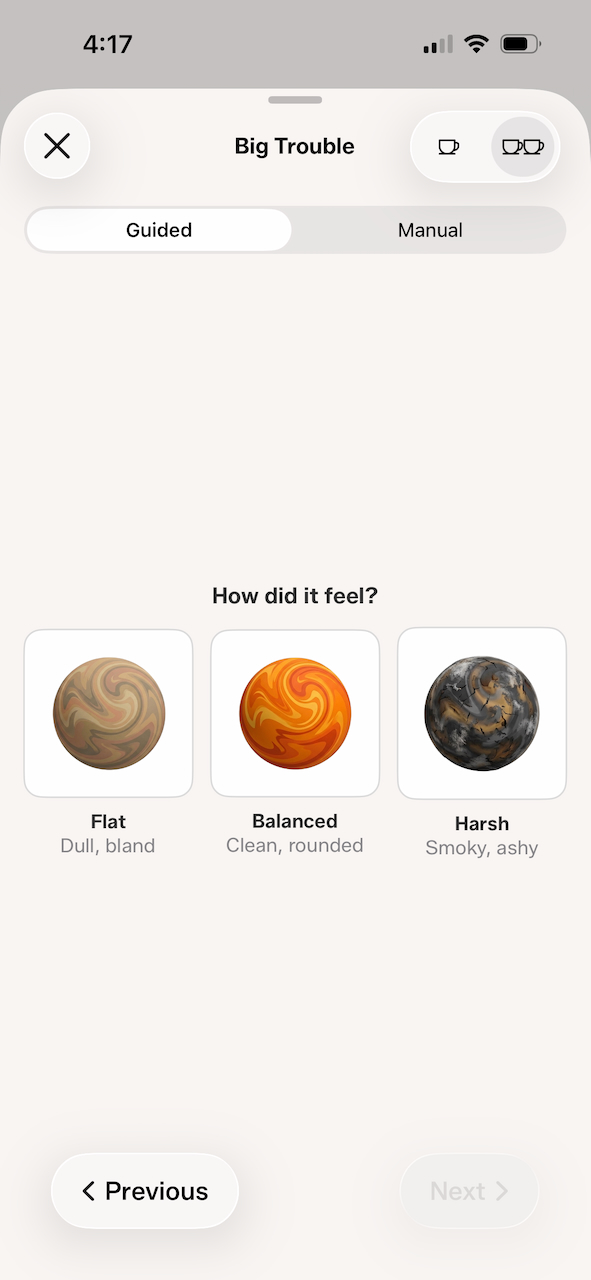
- You can now track water temperature alongside dose, grind, and yield. To enable it, open Settings and toggle temperature tracking on. When dialing in manually, use the slider to set your brew temperature. In guided mode, Tazzina will ask questions about your brew and suggest temperature corrections along the way.
- UI improvements throughout the app, bug fixes, and performance optimisations.
You can always see what's new by going to Settings › About › What's New.
Recipe ratios and Bean Detail polish
- Recipe ratios. You can now show the coffee-to-water ratio alongside each recipe's yield. Open Settings to enable ratio display.
- This release also fixes a bug that could cause single and double dose values to revert after changing them in Settings.
- You'll see some cosmetic improvements on the Bean Detail screen too. Try slowly tilting your phone!
- Bug fixes and performance improvements throughout the app.
You can always see what's new by going to Settings › About › What's New.
Improvements and bug fixes
Improvements
- Ratios are now displayed wherever yields are displayed. To turn this on, go to Settings and enable Ratio display.
- Tap on a bean's photo to see it in full size, retake, or remove the photo.
- Temperature will not be displayed as a dash "—" if you have turned temperature tracking on but haven't set it for a recipe.
Bug fixes
- Made photos look sharper.
- Fixed a bug where grind size nudges would appear for archived beans.
- Other bug fixes and cosmetic improvements.
You can always see what's new by going to Settings › About › What's New.
Bug fixes and polish
- Fixed a sorting menu issue where tapping Freshness or Date added could dismiss the menu before choosing the sort direction.
- Other bug fixes and improvements.
You can always see what's new by going to Settings › About › What's New.
Bug fixes and polish
Fixes a crash that could happen when renewing a bean from the archive list. Manual mode now defaults to your last used brew temperature. This update also includes visual improvements and performance optimisations.
You can always see what's new by going to Settings › About › What's New.
Grind freshness nudges, share beans, and improvements
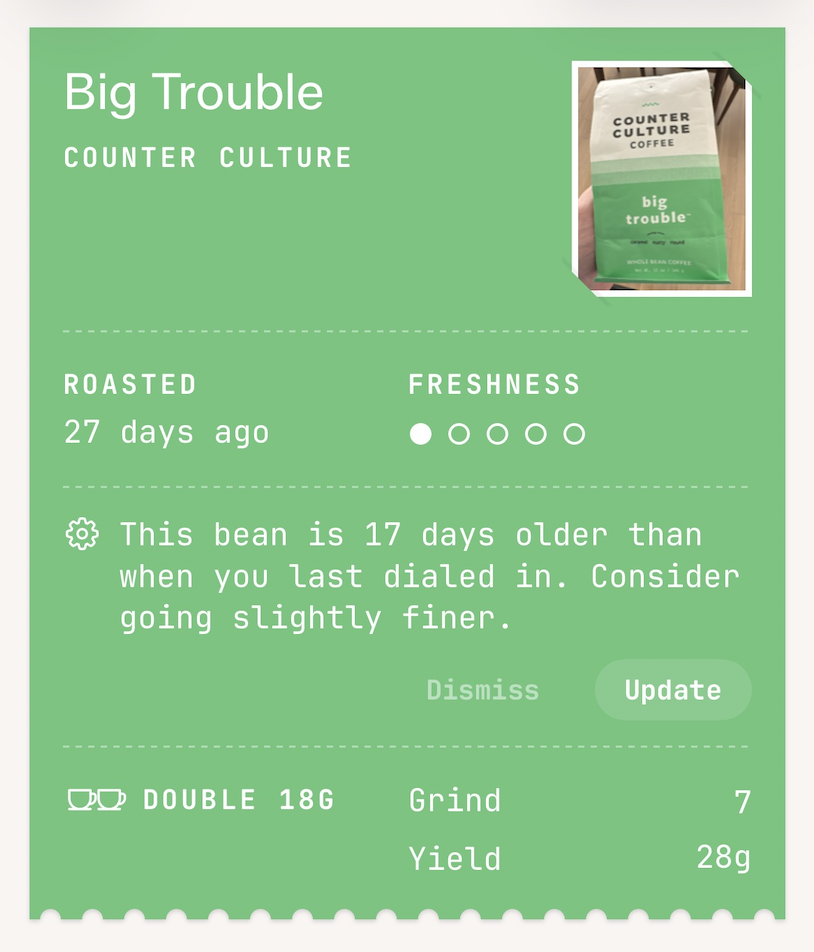
- Grind freshness nudge. Your beans age between sessions. When it's been a few days since you last dialed in, Tazzina nudges you to grind finer so your next shot doesn't run fast.
- Share beans. Send any verified bean to a friend. One tap sends a link that lands them right on it, ready to dial in.
- UI improvements throughout the app, bug fixes, and performance optimisations.
Tazzina launch
Everything you need to dial in your espresso, in one place.
- Scan any coffee bag to find your bean and start dialing in
- Save recipes with dose, grind size, yield, and tasting notes
- Get suggestions from other home baristas pulling the same bean
- Guided dial-in walks you through adjustments shot by shot
- Track bean freshness from roast date to peak window
- 200+ grinders with real dial numbers
- Organise beans with collections, favorites, and archive
- Home screen widgets for quick access
- Apple Watch app for recipes on your wrist
- Sync across all your devices